Mobile gaming has evolved far beyond the casual titles and touch-only experiences. Today, you can enjoy full scale pc games directly on your smartphone without owning a gaming pc. All thanks to the cloud gaming technology, now Steam games can easily be streamed straight to your phone with minimal setup.
If you are ever wondering about how you can play Steam games on your phone without a pc this guide is specially for you. From trusted cloud gaming platforms to internet requirements and controller recommendations, we will explain all the things to you in an easy-to-understand way. Whether you are gaming at home or on the move, this article will help you turn your smartphone into a powerful gaming device, without the cost of expensive hardware.
Best Ways to Play Steam Games on Your Phone Without a PC
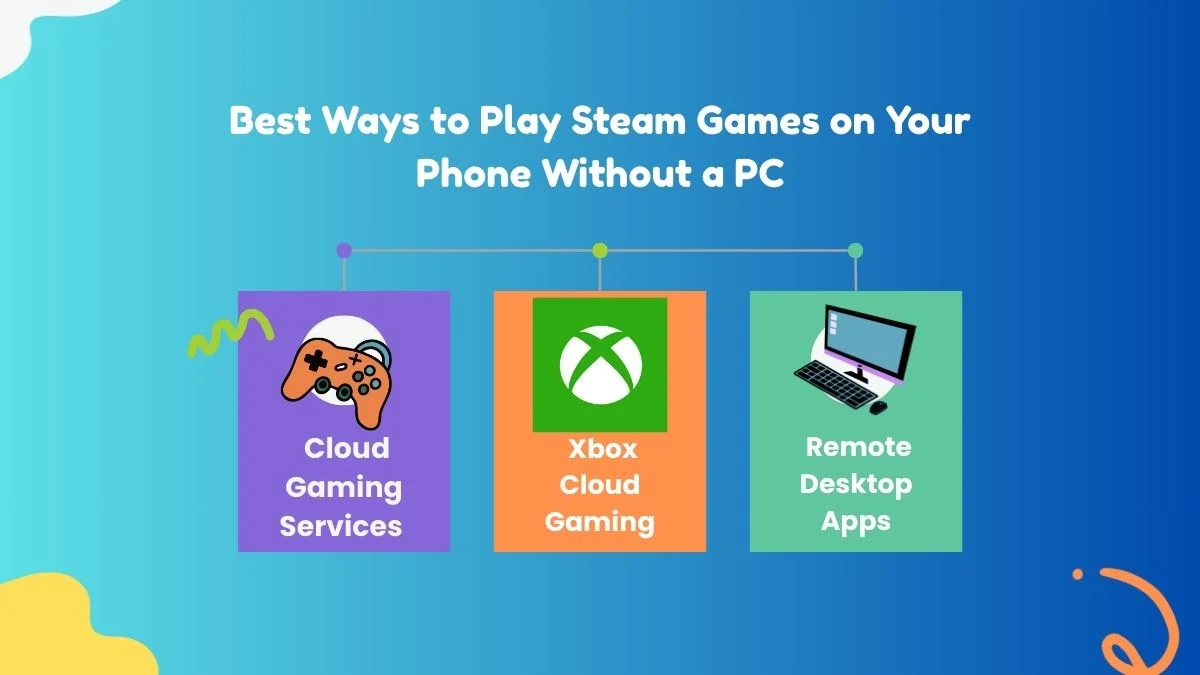
1. Cloud Gaming Services (Best & Easiest Method)
Cloud gaming is one of the most reliable options to play Steam games on mobile without a PC.
🔹 GeForce NOW
GeForce Now is one of the most popular options. It's directly linked to the Steam library and lets you stream supported games on your phone.
How it works:
- Create a GeForce NOW account
- Log in and connect your Steam account
- Choose a supported game from your Steam library
- Play instantly on your phone
Pros
- No PC required
- High-quality graphics
- Supports many popular Steam titles
Cons
- Not all Steam games are supported
- The free plan has session limits
2. Xbox Cloud Gaming (Indirect Steam Alternative)
🔹 Xbox Cloud Gaming
While Xbox gaming doesn't connect directly to the steam, it can be a strong alternative if you are open to playing similar pc quality games on your phone.
Why consider it
- No hardware required
- Works smoothly on mobile browsers
- Great controller support
This option is perfect for you if your goal is PC-style gaming on your mobile phone, even if not strictly Steam-only.
3. Remote Desktop Apps (Requires a PC – Not Ideal)
Apps such as Steam Link or remote desktop tools mirror your pc screen to your device. However, they still required you to have a powered on pc or laptop, so they don't fully meet the “without PC” requirement.
If you truly want to have pc free gaming, cloud gaming is the better choice.
What You Need to Play Steam Games on Mobile
Before you think of playing pc games on your mobile, make sure you have:
- Stable Internet: At least 15 Mbps (Wi-Fi or 5G recommended)
- Compatible Phone: Android 8+ or iOS 14+
- Controller (Optional but Recommended): Bluetooth controllers improve the quality of your gameplay
- Active Steam Account: With purchased games
Touch controls work for some of the games, but controllers provide you with a console-like experience. If your current device is damaged or no longer performs well during the game, choosing to Sell Broken Phone units can be a practical step before upgrading to a smartphone which handles modern cloud gaming more smoothly.
Supported Game Types on Mobile
Not every steam games feels good on your phone. The best-performing categories include :
- Action & Adventure
- RPGs
- Indie games
- Strategy and simulation titles
Some of the Fast-paced competitive shooter games may require you to have a strong internet connection and a controller for smooth gameplay.
Tips for the Best Mobile Steam Gaming Experience
- Use Wi-Fi 6 or 5G for lower latency
- Close background apps to improve the gaming performance
- Lower in-game resolution if you experience any sort of lagging
- Use headphones for an immersive audio experience
Frequently asked questions
1 . Does cloud gaming consume a lot of mobile data?
Yes.Cloud gaming streams high-quality video in real time, which can approximately use 5-10 gb of data per hour, depending on the resolution and frame rate. Using wifi is highly recommended to avoid excessive usage of your mobile data.
2. Can I use my Steam saves while playing on my phone?
Yes. Most of the Steam games support cloud saves, which allow your progress to be saved and sync automatically across all your devices. You can continue the same game on your phone and resume it later on some other platform without losing any of your progress.
3 . Can I play multiplayer Steam games on my phone?
Yes. Multiplayer is supported as long as the game you are playing allows online play. Your experience of your multiplayer game is solely dependent on your network stability, latency, and the performance of your game server.
4. Can I play Steam games on my phone while travelling?
As long as you can have a stable internet connection, you can play the game from anywhere. However, if you are playing it on a public wifi network, it can cause lag or connection drops, so a reliable mobile hotspot or hotel Wi-Fi usually provides you with a better experience.
Final Thoughts
With mobile phones having access to pc level gaming, how and where games can be enjoyed. With the right kind of service and a stable internet connection, a smartphone can be your ticket to expansive titles which were earlier were previously limited to dedicated pc setups. As streaming technology is growing day by day, high-quality gaming is becoming quite flexible, easily accessible and firmly untried from traditional systems.
If you are thinking of upgrading to a better-performing smartphone, Cashmycell can make this process easy for you. Trade in your unused or damaged phone, get instant value and put that amount toward a device which can deliver smoother performance and a more reliable gaming experience, without any kind of unnecessary delays or hidden steps.