Your phone is not lasting the whole day anymore, and now you are stuck with a common question. Should you replace the battery or replace the phone itself?This decision depends on age, cost, performance, and resale value. In this article, I will help you to decide whether buying a new phone or replacing the battery would be right without any confusion.
Why Phone Batteries Fail Over Time?
It is very common that lithium-ion batteries degrade with usage, the more you charge, it lose it’s capacity over the period of time and this causes:
- Faster battery drain
- Phone shutting down unexpectedly
- Slower performance due to power throttling
- Overheating while charging
This is normal wear, not necessarily a sign that your phone is outdated.
How to Check if My Phone Battery Health Is OK
Sometimes we feel that our phone’s battery is draining too fast, but that is not always the case. In daily life, we often get busy and forget when we last charged our phone, which makes it feel like the battery is draining quickly. On top of that, features like Wi Fi, Bluetooth, GPS, and high screen brightness consume a lot of power.
Let’s see how you can properly check battery health on both iPhone and Android.
iPhone
Apple makes it very easy to check battery health.
Steps:
- Open Settings
- Go to Battery
- Tap on Battery Health
Here, you can see detailed battery information such as maximum capacity and charging performance. This helps you understand whether your battery is still healthy or needs replacement.
Android
On most Android phones, battery health details are not officially shown by manufacturers. However, there are a few ways to check it.
Phones with built-in battery health
Some Xiaomi phones and a few other models include battery health information.
Steps:
- Open Settings
- Go to Battery
- Check if battery health or capacity details are available.
Phones without built in battery health
If your phone does not show battery health, you can use third-party apps. This method works best on Android 14.
Steps:
- Open the Play Store.
- Search for and install aBattery and Shizuku.
- Open the Shizuku app, click on the “start” and its service starts.
- After, open the aBattery app.
- Check the Maximum Capacity section.
This will give you a clear idea of your battery’s actual health compared to its original capacity.
Note: On older Android phones, these apps may not show detailed percentage data. In that case, you may only see general battery health status like Good or OK.
When Replacing the Battery is the Right Choice?
Replacing the battery makes sense when the phone is still capable and reliable.
Replace the battery if:
- Your phone is less than 2 to 3 years old
- Battery health has dropped below 80%.
- The phone works fine except for poor battery life
- Replacement cost is affordable
- You still receive software updates
A fresh battery can dramatically improve day to day performance. Many phones slow down intentionally when battery health drops, so replacing it often restores smooth speed.
Cost advantage
Battery replacement usually costs far less than buying a new phone. If the repair cost is under 25 percent of your phone’s current value, it is almost always worth it. If you know a battery replacement can easily give you another 1 to 2 years of use, it is a smart decision.
When Buying a New Phone Is the Smarter Decision
Sometimes replacing the battery only delays the inevitable.
Replace the phone if:
- The phone is older than 3 to 4 years
- Software updates are no longer available
- Battery replacement is expensive or unsupported
- You have multiple issues like cracked screen, weak camera, or charging problems
- Repair costs are close to the price of a new device
In these cases, a new battery will not fix aging hardware or outdated software limitations.
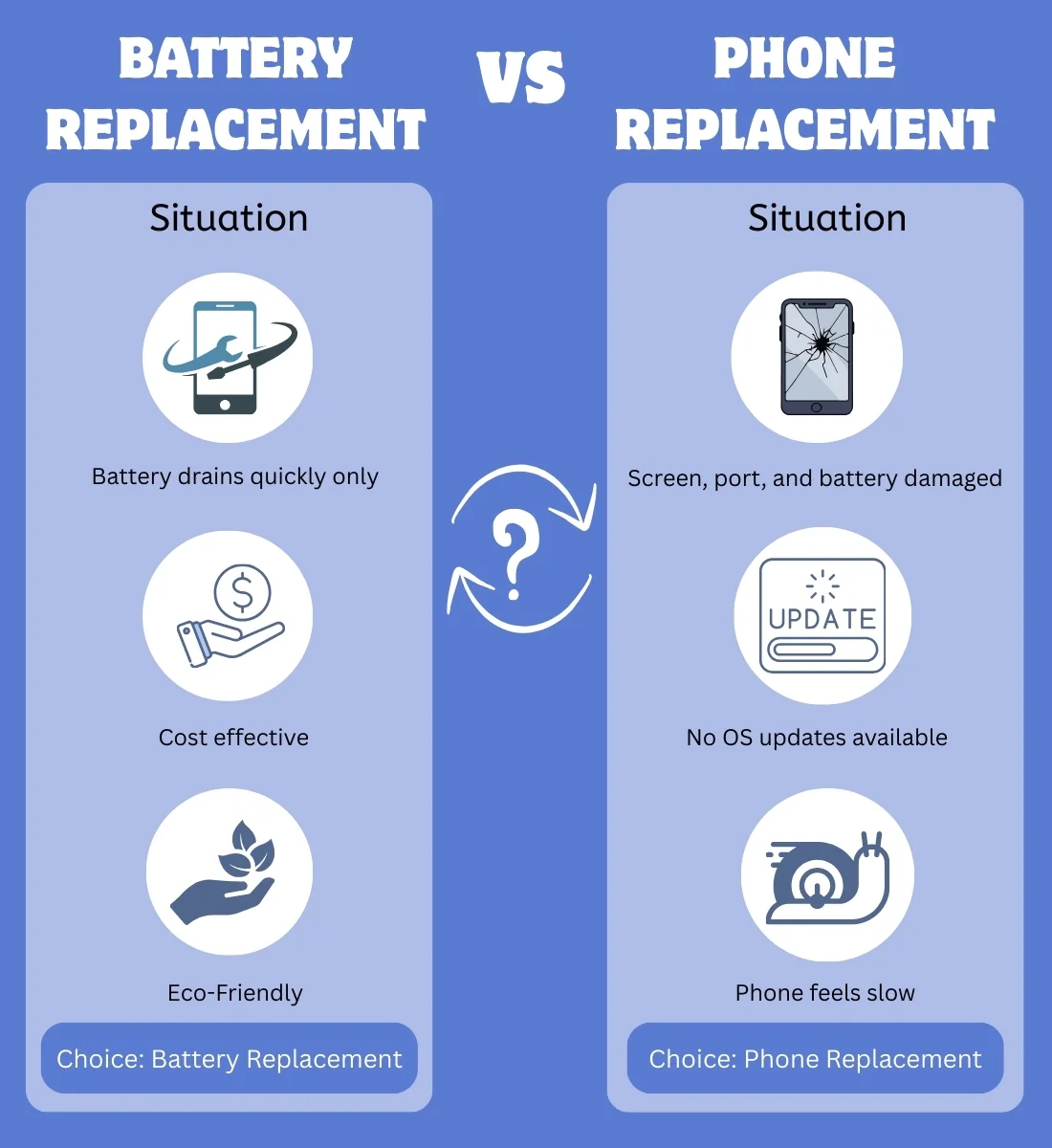
Battery Replacement vs Phone Replacement Comparison
| Situation | Better Choice |
| Battery drains quickly only | Replace battery |
| Phone shuts down randomly | Replace battery |
| No OS updates available | Replace phone |
| Screen, port, and battery damaged | Replace phone |
| Repair cost is very low | Replace battery |
| Phone feels slow even after reset | Replace phone |
Performance and Software Matter More Than Age
A newer battery cannot compensate for outdated processors or missing security updates. If apps feel slow, crash often, or no longer update, replacing the phone improves usability and safety.
On the other hand, if your phone still runs smoothly and supports updates, a battery swap can extend its life by another 1 to 2 years.
Environmental and Financial Benefits of Battery Replacement
Replacing a battery reduces electronic waste and saves money. Extending your phone’s lifespan is one of the simplest ways to reduce environmental impact while avoiding unnecessary spending.
Final Verdict
In this particular case, I prefer iPhone. When you spend money on a premium phone that lasts around 4 to 5 years and everything is working fine, you usually just need to replace the battery. That’s it. iPhones show detailed battery health information and clearly tell you when a battery replacement is needed. This saves money and makes the phone work like new again.
If your battery health is above 80% and your phone performs well, there is usually no need to worry.
Replace the battery if the phone is relatively new, supported, and otherwise works perfectly.Replace the phone if repairs are stacking up, updates are gone, or costs are too high.
Simple rule to remember
If the battery is the only problem, fix it.If the phone itself is aging, replace it.
If you want, tell me your phone model and current battery health. I can give you a clear recommendation based on real numbers.